A screen time app that actually changes the number

Lock In Squad is a free screen time app for iPhone and Android that blocks apps instead of only reporting how long you used them. Pick the apps that run up your screen time and start a timer or stopwatch, and they stay blocked until you hold a button for the 1 to 10 seconds you set, even after a timer reaches zero.

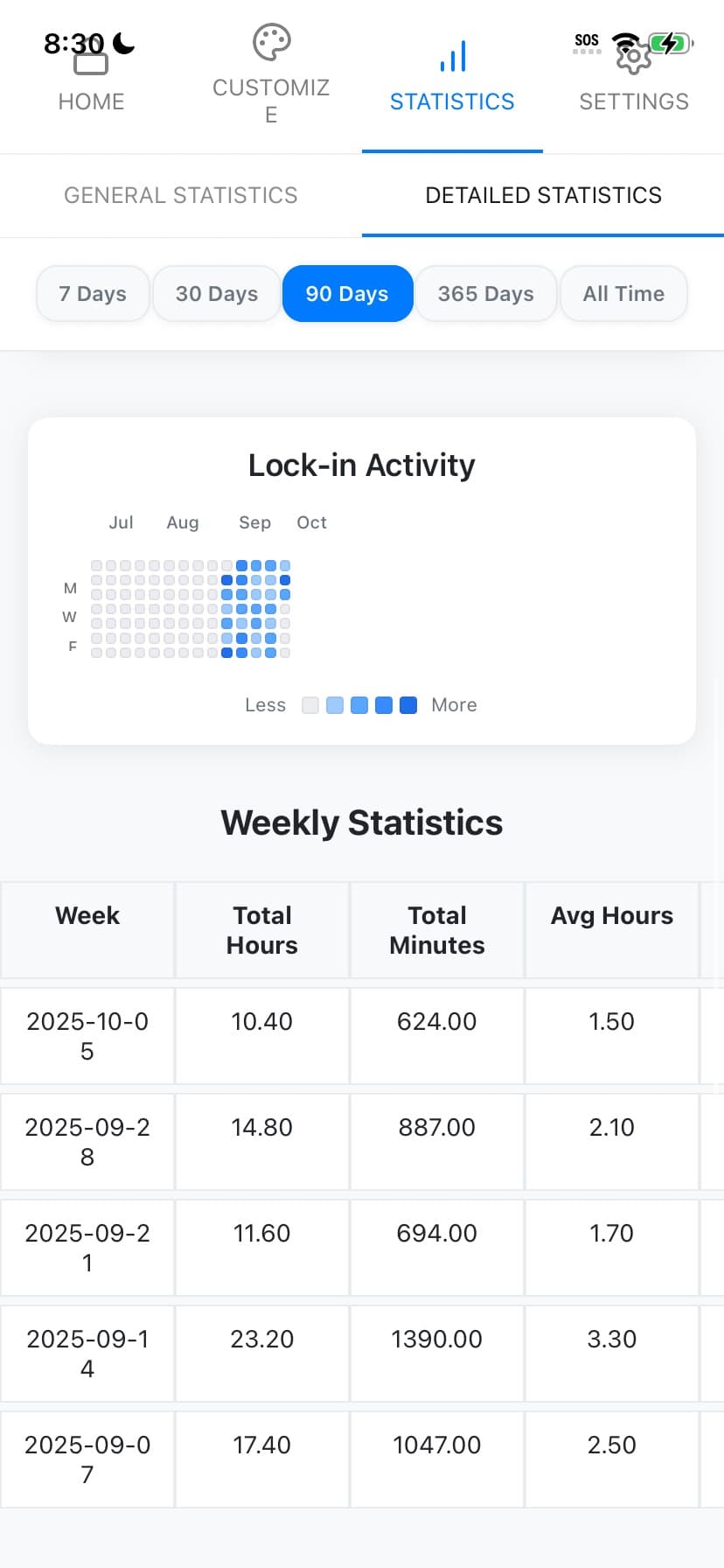
Lock In Squad stats: focus time over 90 days and a lock-in activity heatmap

Track your focus, then actually lower your screen time

Real stats you can act on
See your focused hours by day and week, your peak focus times, and your streak. The screen time reports built into your phone tell you that you have a problem. Lock In Squad gives you the numbers and the tools to fix it.
Blocking that holds
The reason your phone's own limits fail is an "ignore" button that takes one tap. Lock In Squad swaps that tap for the hold, so a blocked app stays blocked long enough for you to change course.
Block when it matters
Start a focus session at the times that matter most (mornings, work hours, or the wind-down before bed), so your most valuable hours are not lost to the feed.
Watch your focus time climb
As your focus streak grows, so does the time you spend on purpose. Lock In Squad turns "reduce my screen time" from a vague goal into a number you can watch move in the right direction.

How to use Lock In Squad to cut screen time

  1. Check your phone's Screen Time or Digital Wellbeing report to see which apps cost you the most, and Lock In Squad's stats to see your best hours.
  2. Block those apps during the windows you want back.
  3. Run a focus session whenever you sit down to work or unwind on purpose.
  4. Review your weekly trend and keep the streak going.

Questions

Is there an app to control screen time?

Yes, and one is already on your phone. iPhone has Screen Time and Android has Digital Wellbeing, both free, with usage reports and daily app limits. Apps like Lock In Squad go further by blocking chosen apps for a whole session, which suits you if you keep blowing past the limits you set.

What is the best free screen time app for adults?

For adults managing their own phone, the free option we would pick is Lock In Squad, though we make it, so weigh that. It is free on iPhone and Android with no parental setup, and one optional $4.99 purchase removes ads. Opal's free plan allows one rule, and Forest is free with a paid Plus tier.

Is Screen Time accurate?

It is a log rather than a guess, which makes it more reliable than your own estimate. A 2021 meta-analysis pooling 106 results found that people's own reports of their media use were rarely an accurate reflection of logged use. One catch is that with Share Across Devices on, the report can include your iPad and Mac too.

Are Screen Time app limits cumulative?

Yes for categories. On iOS 27, Apple says apps in a category stay available until they reach "either the category's allowance or the daily total," so every app in it draws on one allowance. On iOS 26, a limit set on several apps or categories "applies to all of them," in the words of Apple's guide.

Sources: Apple, Set schedules with Screen Time (iOS 26); Apple, Set Screen Time Schedules and Time Allowances (iOS 27); Apple, Get started with Screen Time (iOS 26); Parry et al., 2021, Nature Human Behaviour.

Lower your screen time for real

Free screen time app with real blocking and stats. No subscription.

Download Lock In Squad on the App StoreGet Lock In Squad on Google Play