Study with friends while your phones stay locked
Lock In Squad is a free app for iPhone and Android that blocks the apps that pull you off your notes. Start a group lock-in with your study group, and each of you blocks your own distracting apps while live standings show how long everyone has stayed locked in.
Three ways to study with friends
Put a study block on the schedule
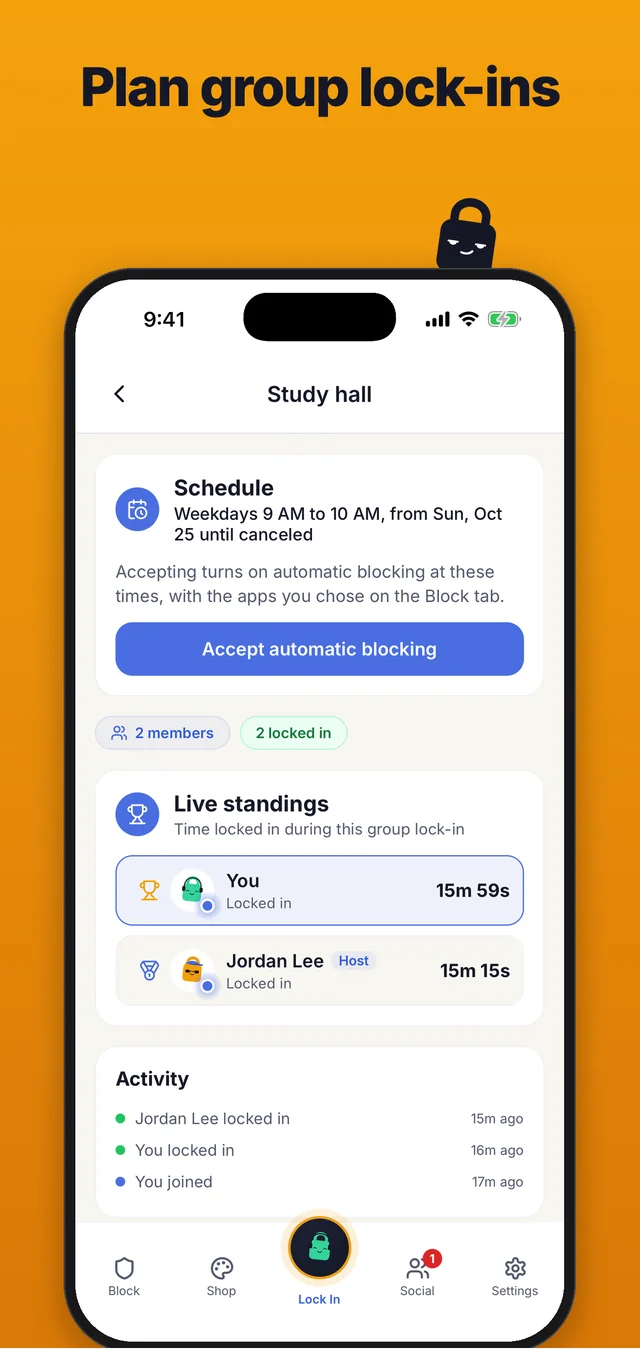
A group schedule turns a study group into a standing plan. The person who started the group lock-in sets the times, once or weekly on the days they pick, until a date or until canceled. Once a member accepts, the apps they chose on their own Block tab are blocked at those times, even with the app closed, and the time counts in the group's standings. Anyone who can't make it can skip the next block, or leave the schedule and stay in the group.
See who stayed locked in
The live standings rank everyone by time locked in and mark each person as Locked in or Idle, with a feed below of who locked in, locked out, joined or left. A group lock-in works wherever each person is, so a friend studying at home shows up next to the ones in the library. When the person who started it ends the group lock-in, the final standings are saved and whoever had the most time gets a group win in their friends' Activity.
Group lock-ins, friend streaks and the weekly leaderboard work the same on iPhone and Android, so a study group can mix both. The page on the app blocker with friends walks through starting one, invite links included.
Timer or stopwatch
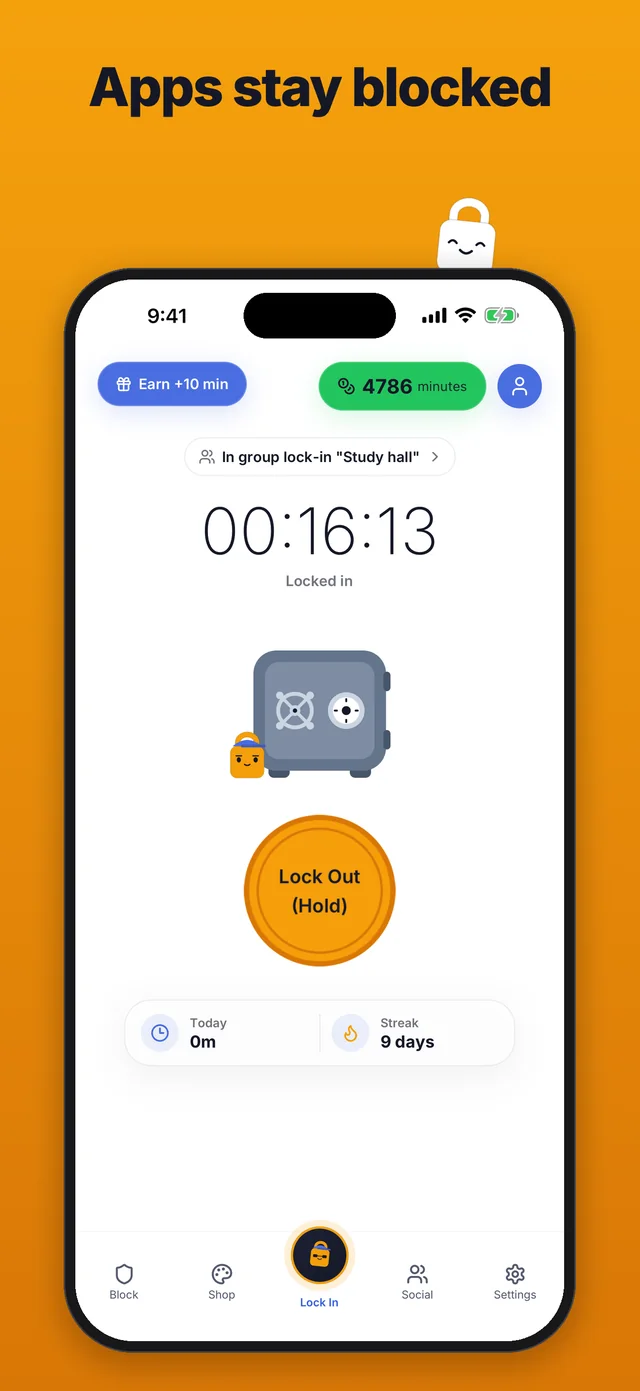
In Settings, under Focus timer, you choose Timer or Stopwatch. A timer runs for a fixed length or one you type each time you tap Lock In, such as 25 minutes for a Pomodoro or 50 minutes for a longer block. When it reaches zero the app shows Goal completed, and your apps stay blocked until you hold Lock Out, so the break starts when you decide. A stopwatch counts up and runs until you lock out, which suits a session with no set end.
Friend streaks and a daily goal
Pick your focus days in the Your week card on the Block tab, such as Monday to Friday. Your own streak counts only those days, so a free Saturday doesn't break it. A friend streak with a study partner grows each day you both lock in on the focus days you both picked, and it goes back to zero if one of those days passes without both of you locking in.
The daily goal sits in the same card. Leave it off or pick a goal from 15 minutes up to 4 hours, and your profile shows how close you are today, with a heatmap that marks the days you hit it.
The crown for the week's top studier
The weekly leaderboard on the Social tab ranks you and your friends by time locked in from Monday to Sunday, with each day counting up to 16 hours. Finish the week with the most time on your friends board, with at least one friend locked in too, and a crown sits next to your name all the next week. The crown comes with no minutes or money, and each minute locked in earns 1 minute for the Shop, alone or in a group.
Why studying next to someone helps
Studying next to another person has a name, body doubling. People who work alongside someone like this said in a survey published in 2023 that it helps them get going (Eagle et al., 2023, a survey of 220 people about body doubling). A group lock-in gives your study group that, with each person's distracting apps blocked while they're locked in.
Free for the whole group
Every feature, including group lock-ins, schedules, friend streaks, the daily goal and the crown, is free on iPhone and Android for everyone in the group. Ads never show during a lock-in, and a one-time $4.99 purchase removes them, with no subscription.
Keep reading
For tactics that work on your own too, read how to focus while studying. You can also see Lock In Squad as an app blocker for students, walk through how it works, compare it with other blockers on Why Lock In Squad? or go back to the Lock In Squad home page.
Questions
Is there an app to study with friends with your phones locked?
Yes. In Lock In Squad, one person starts a group lock-in and invites the others in the app or with a link. Each person's distracting apps stay blocked on their own phone, and live standings show how long each of you has been locked in.
Can we study together from different places?
Yes. A group lock-in works wherever each person is, so a friend studying at home shows up in the standings next to the ones in the library.
How do we set a study time every week?
The person who started the group lock-in sets its times, once or weekly on the days they pick. Once a member accepts, the apps they chose on their own Block tab are blocked at those times. Anyone can skip the next block or leave the schedule.
Does the timer unlock my apps when it hits zero?
No. When a timer reaches zero the app shows Goal completed, and your apps stay blocked until you hold the Lock Out button. A stopwatch counts up and runs until you lock out.
Do we all need the same kind of phone?
No. Group lock-ins, friend streaks and the weekly leaderboard work the same on iPhone and Android, so a study group can mix both.
What do we get for studying together?
There is no bonus. Each minute locked in earns 1 minute for the Shop, alone or in a group. Finish the week with the most time on your friends board, with at least one friend locked in too, and a crown sits next to your name all the next week.
Is it free?
Yes. Every feature is free on iPhone and Android. Ads never show during a lock-in, and a one-time $4.99 purchase removes them, with no subscription.
Lock in with your study group
Free on iPhone and Android, with group lock-ins and no subscription.